---
title: flow | Access SRT Parameters
description: "Learn how to access SRT parameters on Vivaro's Flow platform with this step-by-step video guide. Get detailed instructions on navigating access points to view host, port, and more essential settings.\"\n\nThis highlights the main purpose of the guide, making it clear and inviting for users who need assistance accessing these parameters. Let me know if you'd like any tweaks!"
---
[Skip to content](https://faq.vivaro.media/en-ca/flow/access-srt-parameters#main-content)
English - Canada
Show submenu for translations

Open main navigation
Close main navigation
- English - Canada
Show submenu for translations
- Contact us
Contact us
How can we help you?
- There are no suggestions because the search field is empty.
1. [flow](https://faq.vivaro.media/en-ca/flow?hsLang=en-ca)
2. [flow](https://faq.vivaro.media/en-ca/flow/flow?hsLang=en-ca)
# flow | Access SRT Parameters
## This guide provides a step by step walkthrough on how to access SRT Parameters in flow
# flow | Access SRT Parameters
### Go to [flow.vivaro.media](https://flow.vivaro.media)
### 1. Introduction
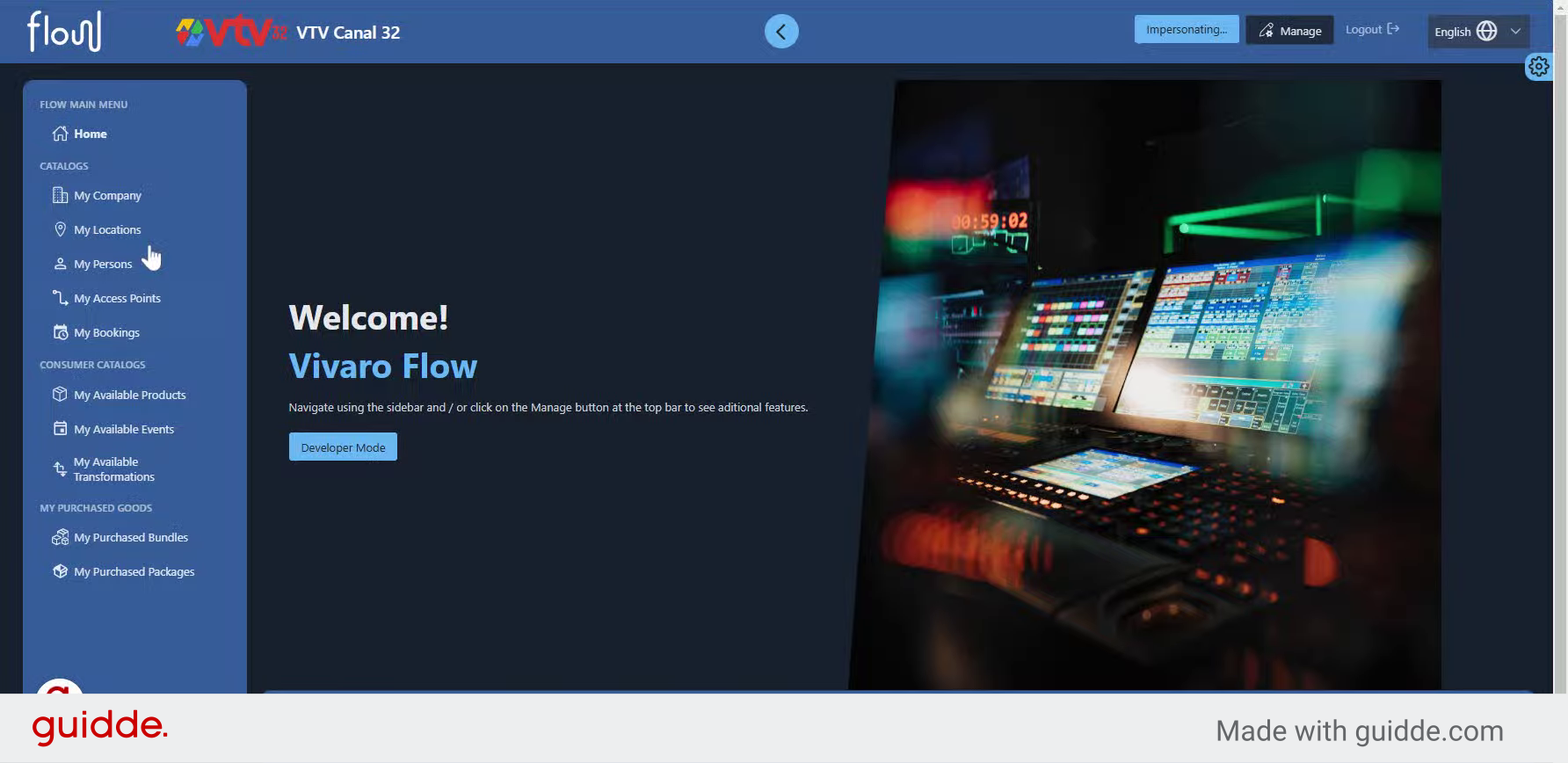
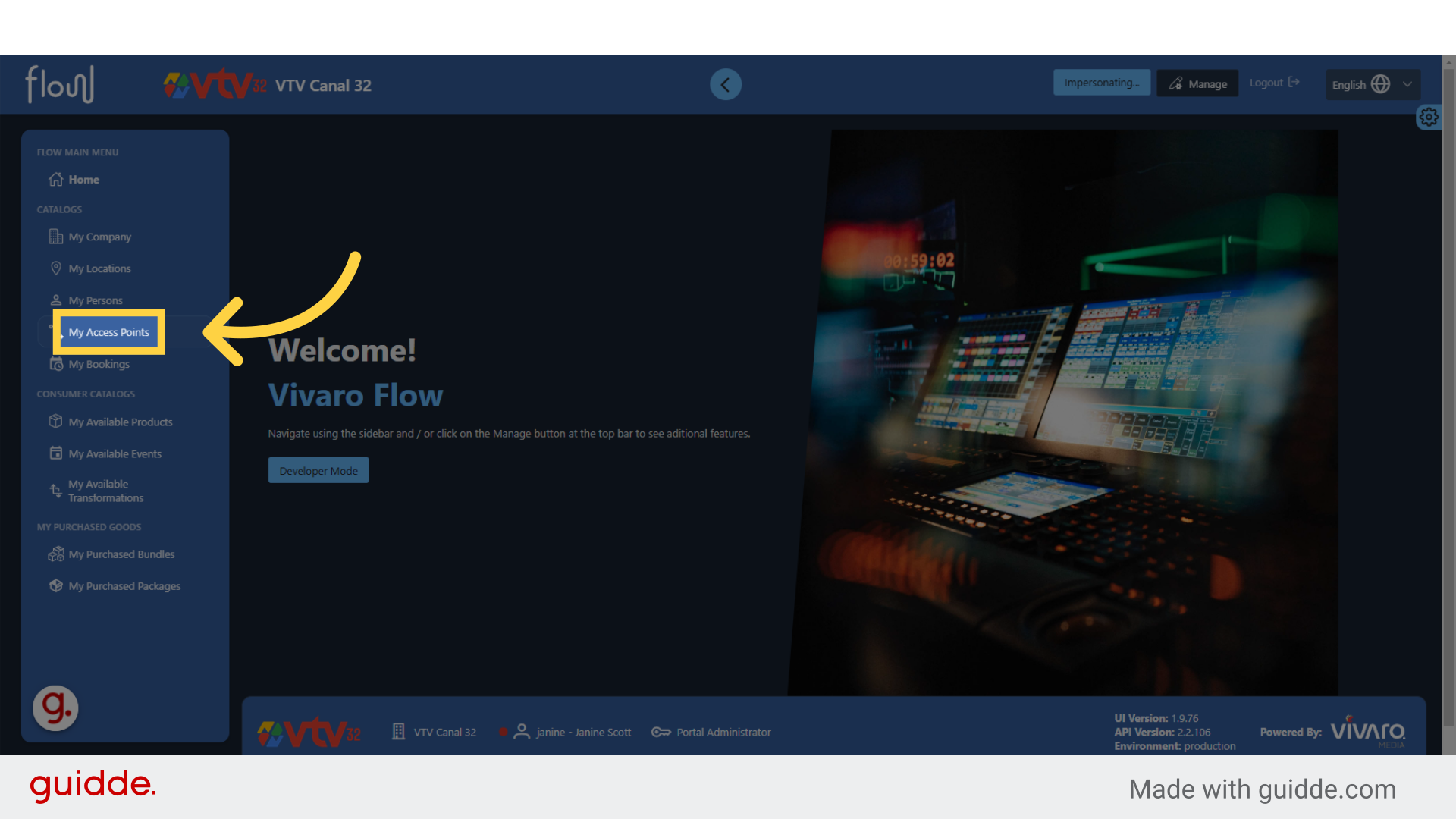
### 2. Click "My Access Points"
Navigate to "My Access Points"
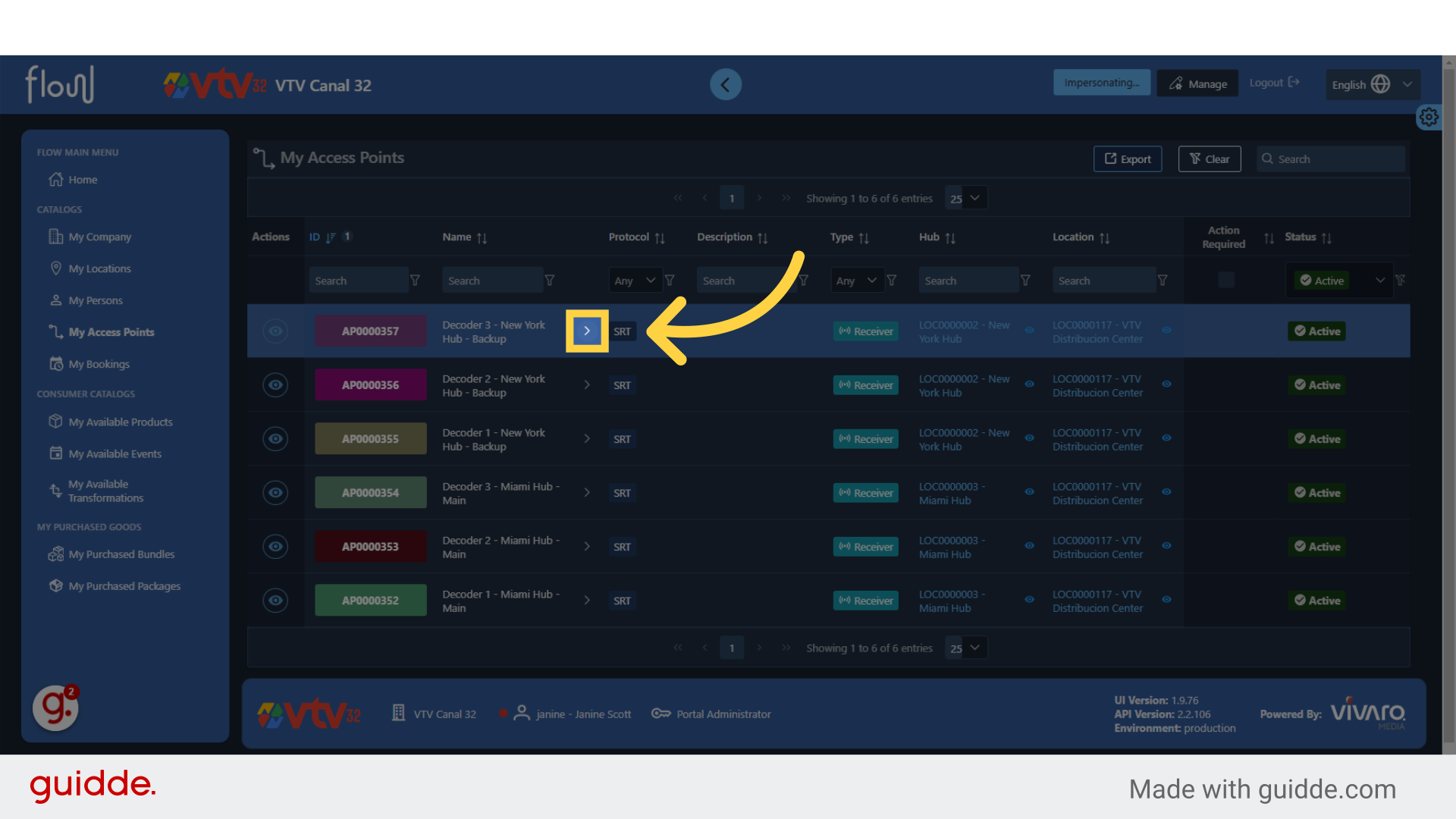
### 3. Click here
Click the selected button
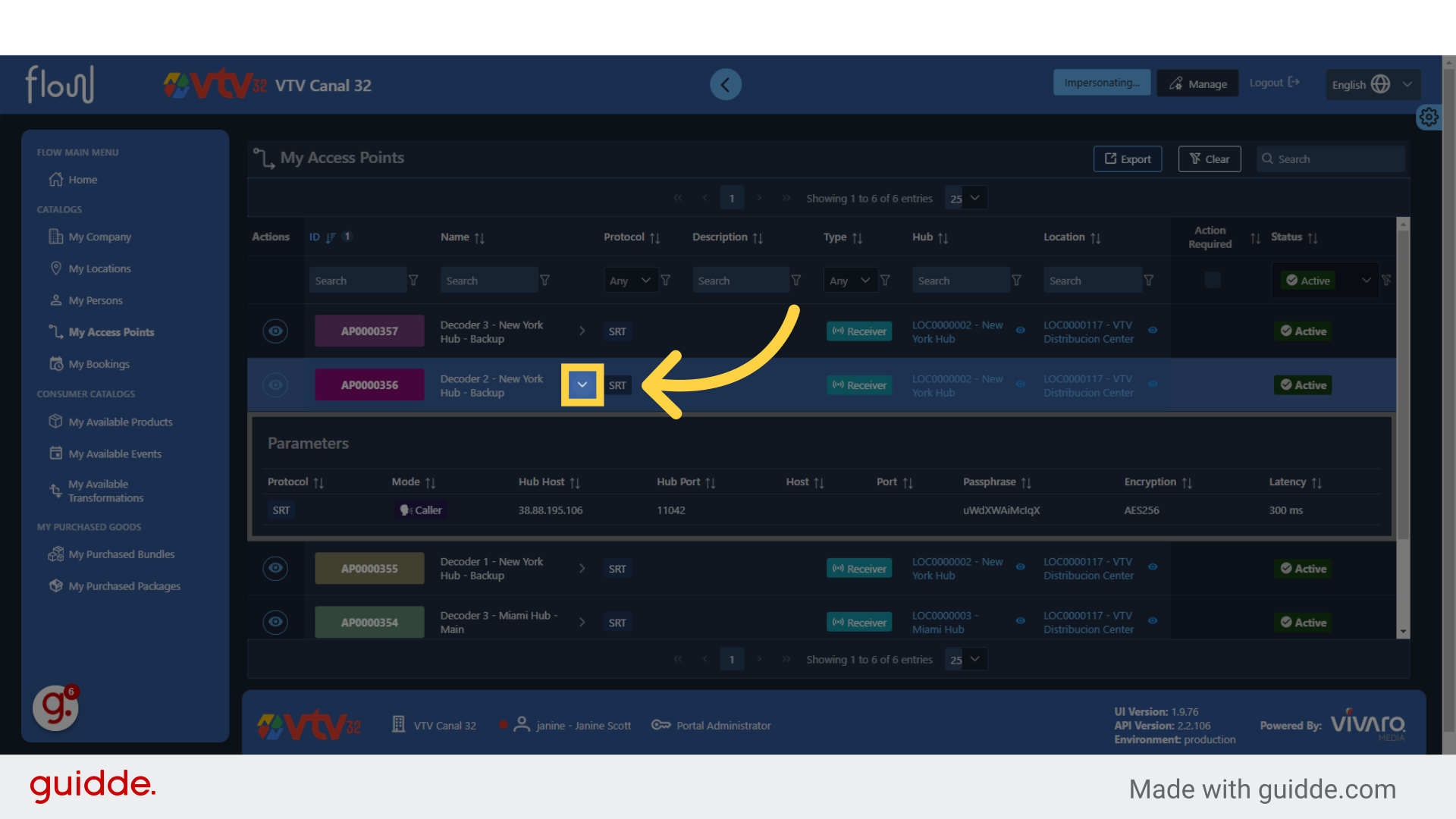
### 4. Click the Drop Down Arrow on Each Access Point
Click the arrow or triangle pointing downwards to expand the selection and display additional details about the access point, such as the host and port parameters.
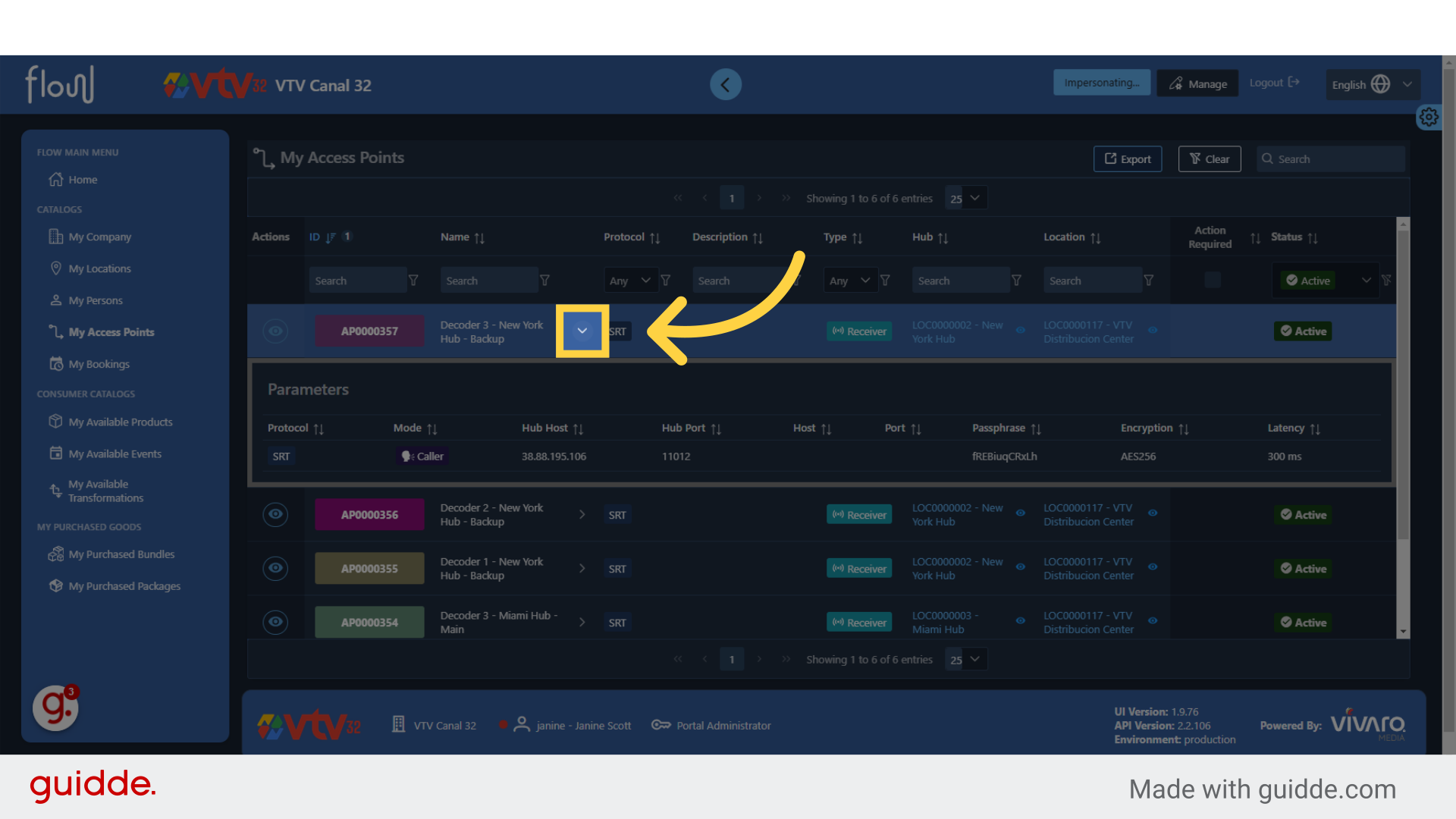
### 5. Click to Expand Every Access Point
Navigate to each access point to expand and discover the parameters and information about each one
This guide covered the steps required to Access SRT Parameters in Vivaro.
[Powered by **guidde**](https://www.guidde.com)
- [flow](https://faq.vivaro.media/en-ca/flow/flow?hsLang=en-ca)
- [General](https://faq.vivaro.media/en-ca/flow/general?hsLang=en-ca)
- [Support](https://faq.vivaro.media/en-ca/flow/support?hsLang=en-ca)
[](http://aldea.tv)
[mailto:email@email.com](mailto:email@email.com)
Copyright © 2026, Vivaro Media